Miro Alternatives for Mac: FigJam, Whimsical, Freeform, and Excalidraw Compared
Miro is one of the best-known online whiteboards because it can handle messy brainstorming, structured workshops, product planning, journey maps, diagrams, meetings, strategy work, and cross-functional collaboration in one shared canvas.
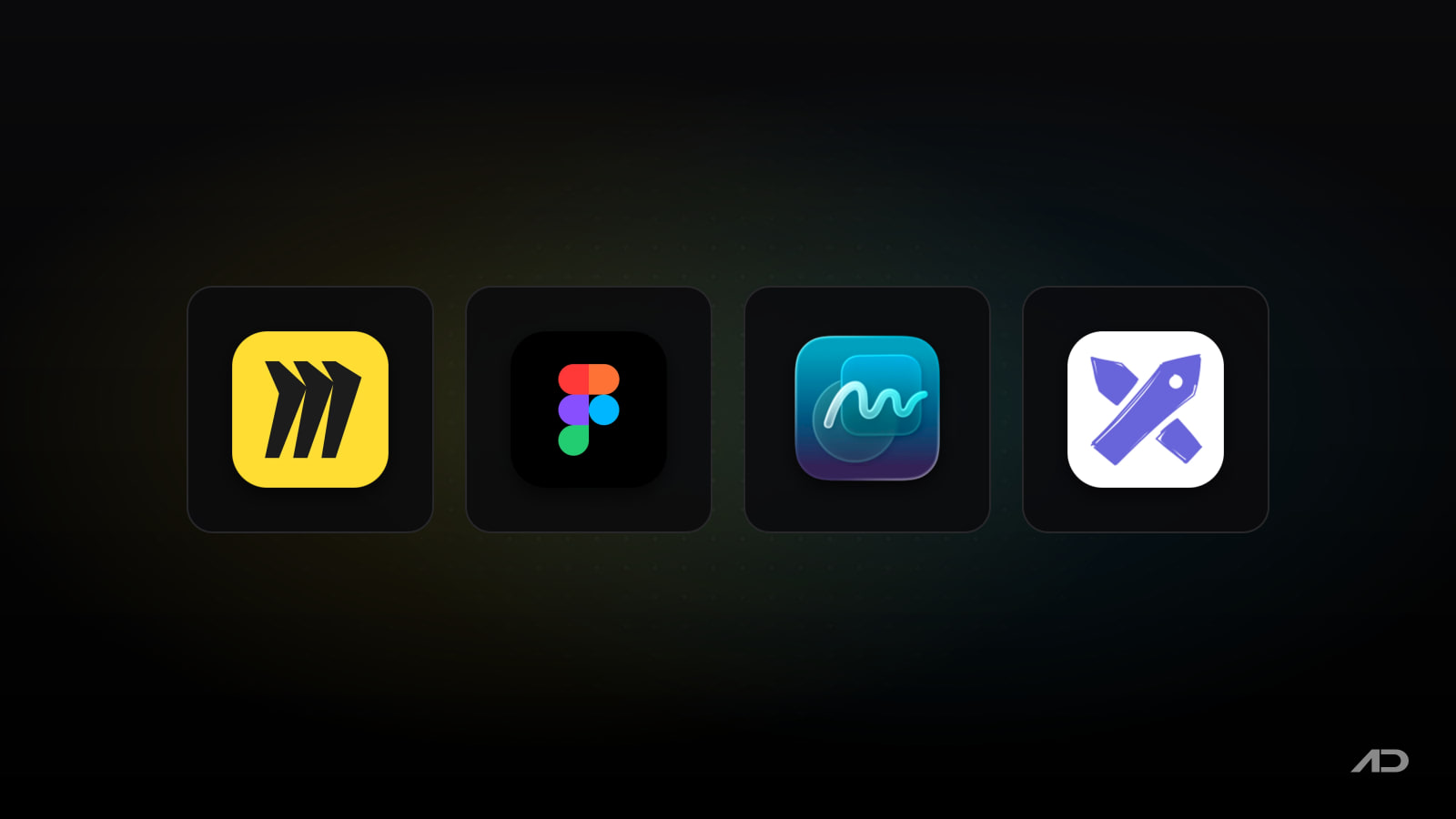
That breadth is useful, but it is also why some Mac users look for alternatives. FigJam is better when whiteboarding sits close to product design and Figma files. Whimsical is faster for lightweight flowcharts, wireframes, docs, and team planning. Apple Freeform is the free Apple-native canvas already included on supported Macs, iPhones, and iPads. Excalidraw is the best fit when you want a hand-drawn, low-friction whiteboard that can stay simple or grow into Excalidraw Plus.
This guide compares Miro alternatives for Mac across collaboration, templates, diagramming, workshop tools, design workflow, offline/native feel, privacy posture, pricing, and the kind of team each app fits best.
Quick Verdict
Choose Miro if you need the broadest collaborative whiteboard for workshops, agile planning, customer journeys, diagrams, product discovery, strategy sessions, and enterprise integrations.
Choose FigJam if your team already lives in Figma. It is the strongest Miro alternative for product teams, designers, researchers, PMs, and engineers who want brainstorming, diagrams, widgets, comments, voting, and Figma Design context in the same workspace.
Choose Whimsical if you want a calmer, faster tool for diagrams, wireframes, docs, mind maps, and lightweight planning. It is less sprawling than Miro and easier to keep tidy.
Choose Apple Freeform if you want a free shared canvas for Apple-device users. It is best for loose brainstorming, sketches, mood boards, trip planning, storyboards, and personal or small-group visual thinking.
Choose Excalidraw if you want a simple sketch-style whiteboard with an infinite canvas, real-time sharing, PNG/SVG export, libraries, and optional cloud workspaces through Excalidraw Plus.
Feature Comparison
| Feature | Miro | FigJam | Whimsical | Apple Freeform | Excalidraw |
|---|---|---|---|---|---|
| Best for | Broad team whiteboarding, workshops, product planning, strategy, agile workflows, and enterprise collaboration | Product and design-team whiteboarding connected to Figma files, widgets, design work, and planning | Fast diagrams, flowcharts, wireframes, docs, mind maps, and tidy team planning | Free Apple-native visual brainstorming and mixed-media boards | Sketch-style diagrams, quick whiteboards, technical explanations, and lightweight collaboration |
| Mac experience | Browser plus macOS desktop app for Apple silicon and Intel Macs | Browser plus Figma desktop app; FigJam also has an iPad app for sketching | Browser plus desktop app on paid plans according to the pricing page | Native Mac app included with supported macOS versions | Browser-based free editor and Excalidraw Plus cloud workspace |
| Collaboration | Real-time and async collaboration, comments, visitors, guests, integrations, workshops, and enterprise controls | Real-time collaboration, comments, audio, live chat, stamps, emotes, Spotlight, open sessions, widgets, and integrations | Real-time collaboration, viewers, guests, comments, public links, Slack and GitHub integrations on higher plans | iCloud sharing and collaboration with Apple Account users | Link-based collaboration in the free editor; Plus adds access management, comments, teams, voice hangouts, and screen sharing |
| Diagramming | Strong: flowcharts, process maps, mind maps, org charts, diagrams, tables, timelines, Kanban, and templates | Strong for product flows, systems, journey maps, workshops, tables, calendars, and shapes/connectors | Strong and focused for flowcharts, wireframes, mind maps, and simple diagrams | Flexible shapes, connectors, diagrams, tables, scenes, media, and sketches | Strong for quick hand-drawn diagrams, technical sketches, and simple visual explanations |
| Workshop tools | Templates, timer-style facilitation, voting/activities, integrations, presentations, and AI workflows | Timer, voting, music, open sessions, stamps, emotes, audio calls, comments, and templates | Timer and voting on paid plans, plus structured boards and docs | Scenes help present board areas, but facilitation tools are basic | Plus adds presentations and live presentations; free editor stays lightweight |
| Design workflow | Good for discovery and planning, but not a design-source-of-truth tool | Excellent when ideas move into Figma Design, prototypes, libraries, and Dev Mode | Good for early wireframes and product thinking, not high-fidelity design | Useful for loose sketches and storyboards, not a design-system workflow | Good for rough UI ideas and architecture sketches, not high-fidelity product design |
| AI features | AI generation, summaries, workflows, agents, and MCP connections are listed on current Miro plans | FigJam AI can generate templates, summarize stickies, sort ideas, and support planning on paid seats | Whimsical includes AI credits and AI-assisted workflows | No dedicated generative AI whiteboard workflow | Free has limited AI; Plus lists extended AI |
| Privacy and control posture | Cloud workspace with team, guest, visitor, security, and enterprise controls by plan | Cloud workspace under Figma account and organization controls | Cloud workspace with admin/security controls on paid plans | iCloud-based Apple ecosystem collaboration | Free editor can keep work local/browser-based with file export; Plus stores work in the cloud |
| Current pricing snapshot | Free plan has 3 editable boards; Starter is $8/member/month billed yearly; Business and Enterprise add more controls | Starter is free; paid Figma seats include FigJam, with Professional Collab seat at $3/month on annual billing | Free plan available; Pro is $10/editor/month billed annually; Business is $20/editor/month billed annually | Included with supported Macs, iPhones, and iPads | Free editor is free forever; Excalidraw Plus is $6/user/month with a 14-day trial |
Miro
Miro is still the reference point for online whiteboards. It is built for teams that need one visual workspace for brainstorming, workshops, diagrams, agile ceremonies, research synthesis, customer journeys, planning, strategy, and presentation-ready boards.
The current Miro pages describe an infinite canvas, templates, diagrams, Docs, Tables, Slides, Kanban, Timelines, AI generation, summaries, AI workflows, MCP connections, and more than 250 integrations. Miro also offers a macOS desktop app for Apple silicon and Intel Macs, with the basic features of the browser version and export options such as image, PDF, CSV, and vector PDF.
That makes Miro a strong default for teams with many roles in the same workspace. A product manager can run discovery. A designer can map journeys. An engineering lead can diagram systems. A facilitator can run workshops. An operations team can map processes. Enterprise buyers can evaluate security, deployment, admin, and integration needs.
The tradeoff is complexity. Miro can feel like a whole workplace, not just a whiteboard. If you only need quick diagrams, Whimsical is easier to keep organized. If your whiteboards exist mainly before or after Figma design work, FigJam may fit better. If everyone uses Apple devices and the work is informal, Freeform is cheaper and simpler. If you want a sketchy low-friction canvas, Excalidraw feels lighter.
Miro's current pricing page lists a Free plan with 3 editable boards. The Starter plan costs $8/member/month when billed yearly, with unlimited and private boards plus visitor editing. Business and Enterprise plans add deeper controls, trials, integrations, AI, and administrative features.
Choose Miro if the whiteboard is a serious shared operating space for a team, not just a place to sketch ideas.
FigJam
FigJam is the best Miro alternative for product teams that already use Figma. It is a collaborative whiteboard, but its real advantage is proximity to design work, prototypes, widgets, comments, handoff, and the broader Figma account structure.
FigJam supports brainstorming, diagramming, planning, meetings, sticky notes, shapes, connectors, comments, audio, live chat, stamps, emotes, Spotlight mode, widgets, integrations, and open sessions that let invited people collaborate for 24 hours without logging in. Figma's current FigJam page also highlights Jira, Asana, GitHub, and product-tech-stack integrations, plus the ability to sketch with Apple Pencil in the FigJam iPad app.
Compared with Miro, FigJam is narrower but more natural when designers, PMs, researchers, and engineers already work in Figma. A discovery board can sit near a prototype. A workshop can turn into design tasks. A planning canvas can include product references. Stakeholders who already comment in Figma need less onboarding.
The tradeoff is that FigJam is not as broad as Miro for enterprise-wide visual operations, complex facilitation programs, and non-design departments. It can work beyond design, but its center of gravity is still Figma. If your company is not using Figma already, Whimsical or Miro may feel more neutral.
Figma's current pricing page says FigJam is included with all seats on every plan. The Starter plan is free, and the Professional Collab seat is $3/month on annual billing, with paid seats adding broader product access and AI credits depending on seat type.
Choose FigJam if whiteboarding is part of a product-design workflow rather than a standalone collaboration platform.
Whimsical
Whimsical is the cleanest option in this comparison for people who want fast visual structure without Miro's sprawl. It is especially good for flowcharts, wireframes, mind maps, lightweight diagrams, docs, and team planning.
Whimsical describes itself as a whiteboard for thinking and planning, with boards for diagramming, wireframing, and whiteboarding, plus docs for writing and knowledge management. The current pricing page lists real-time collaboration, viewers, guests, public share links, version history, file uploads, custom templates, voting, timer, backlinks, integrations, admin roles, and stronger security controls on higher plans.
The biggest reason to choose Whimsical is speed. Flowcharts stay tidy. Wireframes look intentionally low-fidelity. Docs and boards can live together. The interface encourages clear thinking instead of turning every board into a large workshop environment.
The limitation is that Whimsical is less flexible than Miro for large-scale facilitation, broad enterprise workflows, and huge integration-heavy canvases. It is also not as close to high-fidelity design as FigJam. If you want a board for a two-day cross-functional workshop, Miro may be better. If you want a board that becomes a Figma prototype, FigJam may be better.
Whimsical currently has a Free plan. The Pro plan costs $10/editor/month when billed annually, and the Business plan costs $20/editor/month when billed annually. Whimsical's help center currently says it does not have an official affiliate or referral program.
Choose Whimsical if your team values clarity, tidy diagrams, simple wireframes, and written planning more than massive whiteboard flexibility.
Apple Freeform
Apple Freeform is not trying to replace Miro for enterprise workshops. It is a free Apple-native canvas for people who want to think visually without opening another SaaS workspace.
Freeform lets Mac users create boards with text, sticky notes, shapes, lines, tables, diagrams, photos, videos, links, files, items from other apps, sketches from iPhone or iPad, scenes, search, PDF export, and shared collaboration. Boards stored in iCloud stay available across Apple devices when signed in with the same Apple Account.
That makes Freeform surprisingly useful for personal planning, teaching outlines, mood boards, trip plans, small-team brainstorming, storyboards, seating charts, and mixed-media visual thinking. It is also a good starting point when the alternative is buying a whiteboard app before you know whether the habit will stick.
The tradeoff is collaboration scope and workflow maturity. Freeform is best inside the Apple ecosystem. It does not have Miro's enterprise admin model, FigJam's Figma workflow, Whimsical's structured docs and diagramming discipline, or Excalidraw's developer-friendly open-source feel. Large shared boards can also become messy unless the group is careful.
Freeform is currently included with supported Macs, iPhones, and iPads. There is no separate app subscription.
Choose Freeform if you want a free, native Apple canvas for informal visual work.
Excalidraw
Excalidraw is the opposite of heavy whiteboarding software. It feels like sketching on a digital whiteboard with enough structure to make diagrams readable, exportable, and shareable.
The free editor is open source and can be used without an account. The current Excalidraw Plus page lists an infinite canvas, full editor functions, unlimited collaborators, PNG/SVG/export-to-file options, libraries, local browser-based end-to-end encryption for the free editor, and integrations with tools such as Notion and Obsidian. Excalidraw Plus adds unlimited scenes and folders, secure cloud saving, access management, read-only links, embeds, voice hangouts, screen sharing, presentations, extended AI, teams, comments, and PDF/PPTX export.
Excalidraw is strongest for quick technical diagrams, architecture sketches, meeting notes, teaching concepts, interview explanations, and lightweight visual documents where a hand-drawn style is a feature, not a flaw. Developers and technical teams often like it because it stays out of the way.
The tradeoff is polish and structure. Excalidraw is not as strong as Miro for large workshops, FigJam for product-design collaboration, Whimsical for tidy planning docs, or Freeform for Apple-native mixed media. Its charm is speed and simplicity.
The free Excalidraw editor is currently free forever. Excalidraw Plus costs $6/user/month and currently offers a 14-day free trial.
Choose Excalidraw if you want the fastest whiteboard for diagrams that should feel sketched, shared, and understandable.
Which Miro Alternative Should You Use?
Use FigJam if your team's whiteboards live near Figma files. It is the best Miro alternative for product discovery, design reviews, research synthesis, journey maps, planning boards, and Figma-connected collaboration.
Use Whimsical if you mostly make diagrams, lightweight wireframes, planning docs, and structured visual explanations. It is the calmest choice for teams that want clarity more than workshop scale.
Use Apple Freeform if you want a free native app and everyone important is already on Apple devices. It is great for informal boards, sketches, media-heavy planning, and small-group collaboration.
Use Excalidraw if you want a fast, sketch-style whiteboard with low friction. It is excellent for technical diagrams, async explanations, and meetings where the board should stay simple.
Stick with Miro if the board is central to how a whole team runs workshops, planning, strategy, diagrams, research, agile rituals, and cross-functional collaboration.
Final Verdict
Miro is still the best broad online whiteboard for teams. It has the deepest mix of templates, workshops, diagrams, planning formats, integrations, AI features, and enterprise controls.
FigJam is the best Miro alternative for product teams. If Figma is already part of your workflow, FigJam removes handoff friction between messy thinking and design execution.
Whimsical is the best alternative for tidy thinking. It is easier to recommend when your work is mostly flowcharts, wireframes, docs, mind maps, and lightweight planning.
Apple Freeform is the best free Mac-first alternative. It is not a full team whiteboarding platform, but it is a useful native canvas for Apple users.
Excalidraw is the best lightweight sketch-style alternative. It is ideal when speed, simplicity, and rough visual communication matter more than enterprise workshop features.
My practical recommendation: start with Apple Freeform or Excalidraw for personal and lightweight visual thinking, choose Whimsical for structured planning, use FigJam if your team already works in Figma, and stay with Miro when whiteboarding is a core team system.
Note: Features and prices are current as of July 2026. Pricing, free-plan limits, AI credits, guest access, visitor editing, desktop-app support, integrations, export options, enterprise controls, and platform availability can change. Verify current details on each developer's official product, pricing, support, or documentation page before purchasing.

FaceScreen: Show your face and name on screen.
A stylish floating camera for video calls, live streams, and screen recordings. Available for Mac, iPhone, and iPad.