
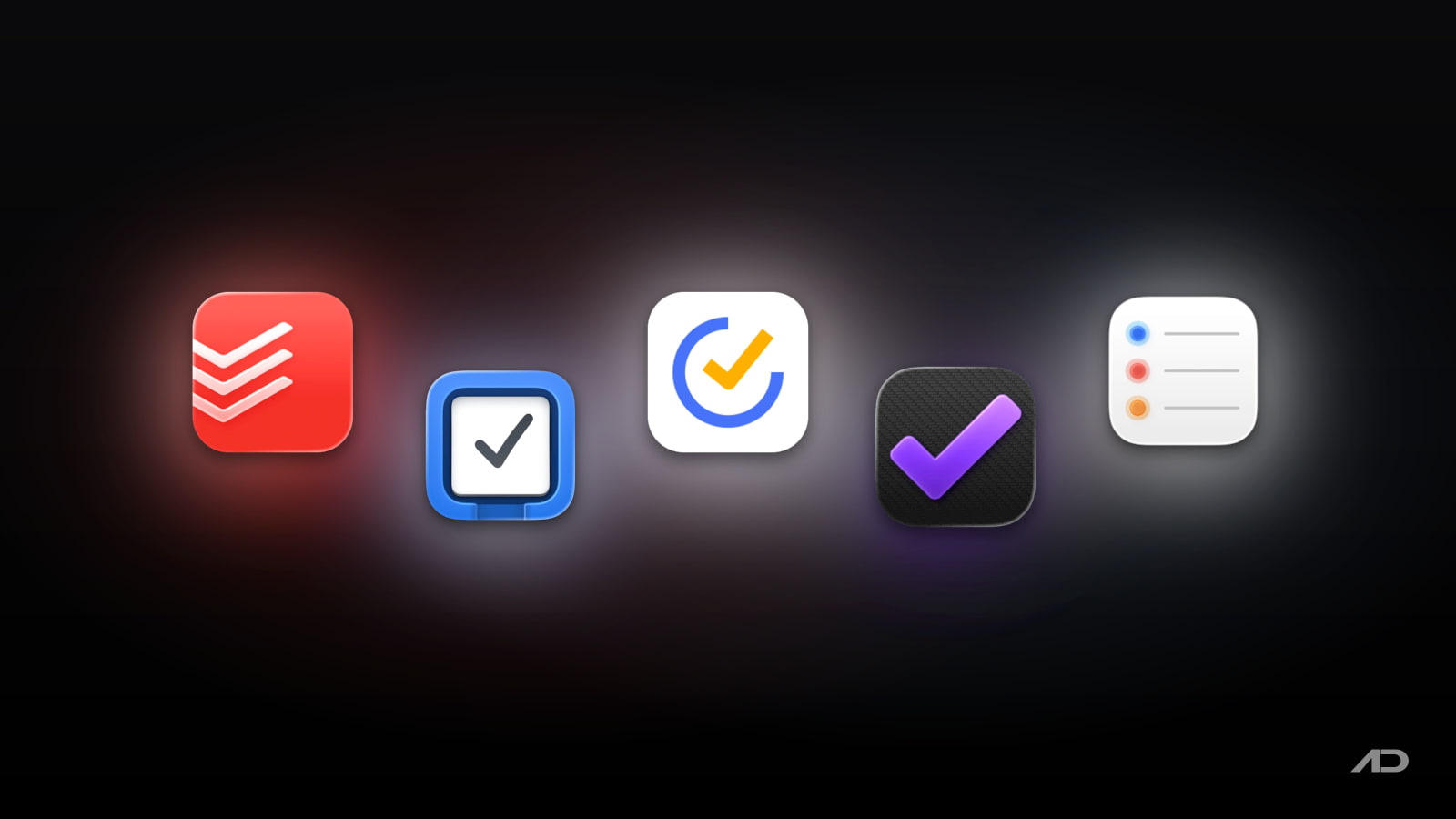
Todoist Alternatives for Mac: Things 3, TickTick, OmniFocus, and Apple Reminders Compared
Todoist is one of the best-known task managers because it works almost everywhere, captures tasks quickly, handles natural-language dates well, and scales from personal lists to shared projects and team workspaces. For many Mac users, it is the obvious default.
But Todoist is not the only strong choice. Things 3 is the polished Apple-only alternative for people who want a calm personal task manager with a one-time Mac purchase. TickTick is the value pick if you want tasks, calendar views, habits, Pomodoro, and broad cross-platform sync in one subscription. OmniFocus is the power-user option for GTD-style planning, custom perspectives, forecasting, tagging, and serious Apple-device workflows. Apple Reminders is the free built-in choice that has become much more capable for everyday lists, shared reminders, smart lists, subtasks, grocery lists, tags, and Calendar integration.
This guide compares Todoist alternatives for Mac across capture speed, planning style, collaboration, calendar views, reminders, Apple integration, privacy posture, learning curve, and current pricing.
Quick Verdict
Choose Todoist if you want the best balance of fast capture, natural-language scheduling, cross-platform apps, integrations, shared projects, team workspaces, and a familiar web-first task system.
Choose Things 3 if you want the most elegant personal Mac task manager and do not need Android, Windows, web access, team workspaces, or heavy collaboration.
Choose TickTick if you want a more feature-packed Todoist alternative with calendar views, Kanban, timeline, habit tracking, Pomodoro, white noise, reminders, and a lower annual Premium price.
Choose OmniFocus if you want deep personal productivity control on Apple devices, especially projects, tags, Forecast, custom perspectives, reviews, and GTD-style planning.
Choose Apple Reminders if your needs are simple, your devices are already in the Apple ecosystem, and you would rather use the capable free app included with macOS, iPhone, iPad, and Apple Watch.
Feature Comparison
| Feature | Todoist | Things 3 | TickTick | OmniFocus | Apple Reminders |
|---|---|---|---|---|---|
| Best for | Cross-platform tasks, quick capture, shared projects, and lightweight team work | Beautiful personal planning on Apple devices | All-in-one tasks, calendar, habits, Pomodoro, and value | Advanced Apple-first personal task management | Free everyday lists inside the Apple ecosystem |
| Platform support | Mac, Windows, Linux, web, iPhone, iPad, Android, wearables, browser extensions, email add-ons | Mac, iPhone, iPad, Apple Watch, and Apple Vision Pro, sold separately | Mac, Windows, web, iPhone, iPad, Android, Apple Watch, browser tools, and more | Mac, iPhone, iPad, Apple Watch, Apple Vision Pro, plus web access options | Built into macOS, iOS, iPadOS, watchOS, and iCloud |
| Capture speed | Excellent Smart Quick Add, natural language, recurring dates, integrations, and email/calendar add-ons | Excellent Quick Entry, Inbox, natural date input, Mail to Things, Siri, Shortcuts, and widgets | Strong global shortcut, NLP, widgets, browser capture, voice input, and Google Calendar integration | Strong Inbox capture, keyboard shortcuts, Share Sheet, Siri, Shortcuts, and Apple integration | Good Siri, Share Sheet, Calendar, widgets, location/date reminders, and simple list entry |
| Planning structure | Projects, sections, subtasks, labels, priorities, filters, Today, Upcoming, list, board, and calendar layouts | Inbox, Today, This Evening, Upcoming, Anytime, Someday, Areas, Projects, headings, checklists, tags, and deadlines | Lists, folders, tags, filters, calendar, Kanban, timeline, task durations, habits, and Pomo | Inbox, projects, tags, due/defer dates, Forecast, perspectives, review, outline-style structure, and Pro features | Lists, sections, subtasks, tags, smart lists, pinned lists, columns, templates, and grocery categories |
| Collaboration | Stronger than the Apple-only apps: shared projects, assigned tasks, comments, files, team workspaces, roles, and activity logs | Light sharing through Apple services, but not a team task platform | Shared lists and tasks, with better team fit than Things but less business structure than Todoist | Personal productivity first; web access helps, but collaboration is not the main reason to choose it | Shared lists and assigned reminders for families and small groups |
| Calendar workflow | Calendar layout on paid plans; calendar integrations | Calendar events appear in Today and Upcoming, but it is not a full calendar app | Core strength: multiple calendar views, task durations, third-party calendar subscriptions on Premium | Forecast combines calendar events and tasks | Scheduled reminders can appear in Apple's Calendar app on Mac |
| Focus and habit tools | Today, Upcoming, filters, priorities, productivity visualizations, activity history, and Todoist Karma | Very calm daily planning with Today, This Evening, Someday, Areas, and project progress | Strongest built-in habit/Pomodoro package here | Strongest for reviews, contexts/tags, custom perspectives, and complex next-action systems | Simple reminders, smart lists, location alerts, and recurring tasks |
| Current starting price | Free Beginner plan; Pro is commonly shown at $5/month or $4/month billed yearly; Business is commonly shown at $8/user/month or $6/user/month billed yearly | 15-day Mac trial from Cultured Code; Mac App Store price currently $49.99 in the US | Free tier; Premium currently US$35.99/year | 14-day trial; Standard $74.99, Pro $149.99, web access $4.99/month or $49.99/year, full subscription $99.99/year | Included with Apple devices and iCloud |
Todoist
Todoist is still the reference point for many task-management comparisons because it combines fast personal capture with enough structure for shared work. The current feature set covers Smart Quick Add, natural-language due dates, recurring tasks, reminders, labels, priorities, projects, sections, subtasks, descriptions, comments, file attachments, filters, Today, Upcoming, list layout, board layout, calendar layout, templates, integrations, productivity visualizations, and team workspaces.
The main reason to stay with Todoist is reach. It is not just a Mac app. Todoist has desktop apps, mobile apps, browser extensions, email add-ons, integrations, and a web app, so it works well when your tasks come from Slack, email, calendar events, browser pages, project notes, and shared team work. If you use a Mac but collaborate with Android, Windows, or web-first coworkers, Todoist is much easier to recommend than Things or OmniFocus.
Collaboration is another advantage. Shared projects, assigned tasks, comments, file uploads, team workspaces, public and private team projects, roles, permissions, activity logs, project folders, and centralized billing make Todoist useful beyond personal errands. It is not a full project-management suite like Asana or Linear, but it is much stronger than Apple Reminders or Things for lightweight team task tracking.
The tradeoff is that Todoist is subscription-oriented if you need the best features. The free Beginner plan is useful, but serious users often want more personal projects, calendar layout, custom reminders, more filters, auto backups, larger file uploads, longer history, and Todoist Assist features. The public pricing page lists Free, Pro, and Business tiers in USD; during this review, reputable current pricing displays showed Pro at $5/month or $4/month billed yearly and Business at $8/user/month or $6/user/month billed yearly, with local taxes and checkout details varying.
Choose Todoist if you want a task manager that is fast, flexible, collaborative, and available almost everywhere.
Things 3
Things 3 is the best Todoist alternative for Mac users who want less friction and more calm. It is personal task management with a very strong sense of taste: Inbox, Today, This Evening, Upcoming, Anytime, Someday, Areas, Projects, headings, checklists, tags, deadlines, reminders, Quick Find, Type Travel, Quick Entry, widgets, Mail to Things, Siri, Shortcuts, Markdown notes, and Things Cloud sync.
The biggest difference is philosophy. Todoist can feel like a flexible system that grows into team work. Things feels like a personal planner that wants to stay clean even when your task list gets long. Areas separate ongoing parts of life, Projects give larger goals structure, headings break projects into sections, and This Evening keeps later tasks away from the main Today list.
Things is also deeply Mac-like. Quick Entry with Autofill can grab context from another app, multiple windows can show different lists or projects, Type Travel lets you jump around by typing, and the app has strong keyboard support. Its recent App Store release notes also show active support for modern macOS changes, including macOS 26 Tahoe interface updates, Control Center controls, widget styles, Spotlight task creation, and Quick Entry Autofill fixes for current browsers.
The tradeoff is reach. Things is Apple-only, has no Android or Windows app, no full web app, and no Todoist-style team workspace. Its iPhone, iPad, Watch, and Vision Pro apps are sold separately. For many solo Mac users, that is fine. For mixed-device households or teams, it is a real limitation.
Things currently offers a 15-day Mac trial through Cultured Code. The US Mac App Store price is $49.99, while Apple sets local currency prices by region. iPhone, iPad, and Vision versions are separate purchases.
Choose Things 3 if you want the most polished personal task manager for Mac and you are comfortable staying inside Apple's ecosystem.
TickTick
TickTick is the most feature-packed Todoist alternative in this comparison. It handles normal task lists, natural-language input, recurring reminders, tags, filters, widgets, desktop shortcuts, browser capture, voice input, shared lists, Google Calendar integration, calendar views, Kanban, timeline, habit tracking, Pomodoro, white noise, statistics, and more.
The calendar workflow is a major reason to consider it. TickTick Premium unlocks fuller calendar functionality, including more calendar views, task start and end dates, and third-party calendar subscriptions. The current feature page lists yearly, monthly, weekly, agenda, multi-day, and multi-week calendar views, plus list, Kanban, and timeline modes for different kinds of planning.
TickTick also bundles personal productivity features that Todoist mostly leaves to integrations or separate apps. Habit tracking can show statistics and feedback. Pomodoro is built in. Reminders are extensive, including repeat reminders, email reminders, constant reminders, and location reminders on supported platforms. That makes TickTick a strong choice for students, freelancers, and personal productivity users who want one app to cover tasks, schedule planning, habits, and focus sessions.
The tradeoff is focus and polish. TickTick's broad feature set can feel busier than Todoist or Things. Its collaboration is useful, but it is not as business-structured as Todoist's team workspaces, roles, permissions, shared templates, and centralized billing. If you want Mac-native elegance, Things wins. If you want serious GTD customization, OmniFocus wins.
TickTick has a free tier. TickTick Premium currently costs US$35.99 per year, described by TickTick as less than US$3 per month. The official Premium page also notes refund handling within 14 days after purchase.
Choose TickTick if you want a Todoist alternative that gives you more built-in planning and focus tools for a lower annual price.
OmniFocus
OmniFocus is the serious Apple-first option. It is built for people who want a trusted system, not just a checklist. The current product page emphasizes capture, organization, Forecast, projects, tagging, notifications, and custom Perspectives, with apps for Mac, iPhone, iPad, Apple Watch, Apple Vision Pro, and optional web access.
OmniFocus is especially strong if you think in GTD terms. You can capture to an Inbox, clarify projects and actions, defer work until later, set due dates, tag tasks by context or energy, review projects, and use Forecast to see what is coming. Custom Perspectives can group similar actions together so the app shows the right subset of tasks at the right time.
That depth is the reason to choose it over Todoist. Todoist is easier to share and easier to explain to a mixed team. OmniFocus is better when your personal workload is complex and you want a system that can represent it precisely. Lawyers, consultants, managers, researchers, founders, and independent professionals who live on Apple devices may find OmniFocus more durable than a simpler list app.
The tradeoff is price and learning curve. OmniFocus asks more from the user. It is also less natural for cross-platform collaboration, and web access is a companion option rather than the heart of the product. If you only need grocery lists, recurring chores, and a few work projects, OmniFocus is probably too much.
OmniFocus currently includes a 14-day free trial. A perpetual OmniFocus 4 universal license costs $74.99 for Standard or $149.99 for Pro, including Mac, iPhone, iPad, Apple Watch, and Apple Vision Pro access for version 4.x. OmniFocus for the Web costs $4.99/month or $49.99/year for perpetual license owners. A full OmniFocus subscription, including web access and the latest Pro version, costs $99.99/year.
Choose OmniFocus if you want the most powerful Apple-first personal task system and are willing to configure it.
Apple Reminders
Apple Reminders is no longer just the app you use because it is already installed. It now covers enough everyday task management that many Mac users should try it before paying for anything else.
The current macOS Reminders guide includes lists, columns, smart lists, pinned lists, subtasks, tags, dates, locations, sections, templates, shared lists, assigned shared reminders, widgets, grocery lists with automatic categories, notifications, and Calendar integration for scheduled reminders. It also works naturally with Siri, iCloud, iPhone, iPad, Apple Watch, and Apple Calendar.
The best reason to use Reminders is low friction. Say a reminder to Siri, share a list with family, add a location alert, put a grocery list on your phone, or see scheduled reminders in Calendar. There is no account decision beyond iCloud and no third-party subscription to manage.
The limitations are just as clear. Reminders is not as flexible as Todoist for cross-platform apps, filters, integrations, browser extensions, email add-ons, team workspaces, and productivity reporting. It is not as polished as Things for personal planning, not as broad as TickTick for habits and Pomodoro, and not as powerful as OmniFocus for advanced perspectives and review workflows.
Apple Reminders is currently included with Apple devices and iCloud. Some features require updated iCloud reminders, and Apple notes that some features are not available when using reminder accounts from other providers.
Choose Apple Reminders if your tasks are mostly personal, family, shopping, errands, appointments, and light work follow-ups inside Apple's ecosystem.
Which Todoist Alternative Should You Use?
Use Things 3 if Todoist feels too web-first or too team-oriented and you want a beautiful personal planner for Mac, iPhone, iPad, Watch, and Vision Pro.
Use TickTick if Todoist is close, but you want more built-in calendar, habit, Pomodoro, timeline, and focus features for a lower annual Premium price.
Use OmniFocus if your task system is complex and personal. It is the best alternative for users who want GTD-style capture, reviews, tags, Forecast, defer dates, and custom perspectives across Apple devices.
Use Apple Reminders if your needs are basic and you already live in iCloud. It is free, fast, built in, and now good enough for many personal and family workflows.
Stick with Todoist if you need the broadest cross-platform support, the easiest collaboration story, shared projects, team workspaces, browser and email integrations, and a task manager that works across almost every device your coworkers might use.
Final Verdict
Todoist remains the best general-purpose cross-platform task manager. It is fast, familiar, and flexible, with enough collaboration and team features to grow beyond personal lists.
Things 3 is the best Mac-native personal alternative. It is the right choice when design, daily planning, keyboard flow, and Apple-only focus matter more than collaboration or web access.
TickTick is the best value-packed alternative. It gives you tasks, calendar views, habits, Pomodoro, reminders, and multiple planning modes at a modest annual price.
OmniFocus is the best power-user alternative. It is expensive and deeper than many people need, but it is excellent for complex personal systems on Apple devices.
Apple Reminders is the best free alternative. It will not replace Todoist for teams, but it is a practical first stop for everyday Apple users.
My practical recommendation: keep Todoist if you collaborate or use mixed platforms, choose Things 3 if you want a calmer Mac planner, choose TickTick if you want more features per dollar, choose OmniFocus if your personal system is complex, and use Apple Reminders if built-in simplicity is enough.
Note: Features and prices are current as of July 2026. Subscription tiers, regional App Store prices, trial periods, platform support, calendar features, collaboration limits, AI features, and iCloud behavior can change. Verify current details on each developer's official product, pricing, App Store, or support page before switching task managers.

KeyScreen: Show your keystrokes on screen.
Display key presses with custom themes, layouts, multi-display support, and global shortcuts. Made for tutorials, streams, and live demos.