
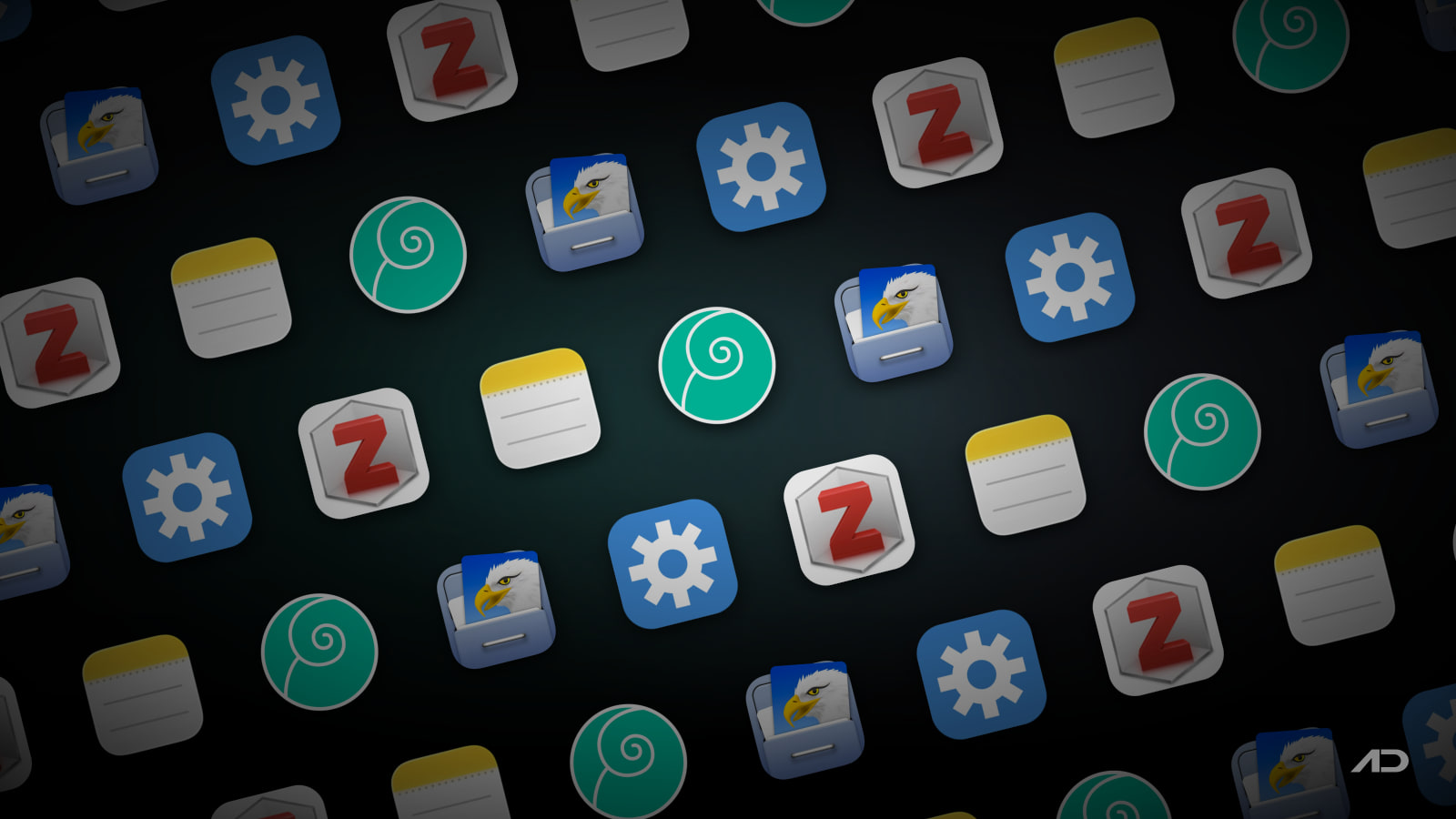
DEVONthink Alternatives for Mac: EagleFiler, Keep It, Zotero, and Apple Notes Compared
DEVONthink is one of the most capable Mac apps for people who collect documents, PDFs, web archives, notes, emails, scans, and research material. It is closer to a personal document database than a simple notes app: you can build local databases, classify documents, search deeply, automate workflows, sync between Apple devices, and, in DEVONthink 4, use newer AI-assisted features depending on the edition.
That depth is exactly why some Mac users look for alternatives. EagleFiler keeps the same "digital filing cabinet" idea but stores libraries in a Finder-friendly format. Keep It is more approachable for notes, PDFs, web links, Finder-integrated files, and iCloud sharing. Zotero is the better fit when the real job is academic research, citation management, and PDF annotation. Apple Notes is the free built-in option for lighter capture, attachments, tags, collaboration, audio transcription, and everyday notes.
This guide compares DEVONthink alternatives for Mac across document storage, search, PDF handling, web capture, email archiving, research citations, automation, sync, privacy, learning curve, and current pricing.
Quick Verdict
Choose DEVONthink if you want the most powerful Mac-first knowledge and document database. It is best for large personal archives, scanned documents, professional research, email archiving, smart rules, custom metadata, OCR-heavy workflows, local-first storage, scripting, and advanced search.
Choose EagleFiler if you want a simpler document organizer that still respects the Mac file system. It is strong for PDFs, web archives, email archives, notes, Finder tags, encrypted libraries, smart folders, and long-term local storage without adopting DEVONthink's larger database model.
Choose Keep It if you want a friendlier notebook and document organizer. It fits writers, consultants, students, and general Mac users who want notes, rich text, Markdown, PDFs, scans, web links, tags, folders, Quick Look previews, Finder integration, and iCloud sharing.
Choose Zotero if your archive is mostly research papers, books, sources, citations, and annotated PDFs. It is not a general DEVONthink replacement for every file type, but it is much better for bibliographies, citation styles, academic metadata, Word, LibreOffice, Google Docs, group libraries, and open research workflows.
Choose Apple Notes if you want the free built-in option and do not need a dedicated document database. It is good for quick notes, attachments, scanned documents, tags, Smart Folders, locked notes, shared folders, audio recordings, live transcripts, and simple Apple-device sync.
Feature Comparison
| Feature | DEVONthink | EagleFiler | Keep It | Zotero | Apple Notes |
|---|---|---|---|---|---|
| Best for | Deep Mac document databases and professional archives | Lightweight digital filing cabinet with open Finder-style libraries | Friendly notes and document organizer with iCloud sharing | Academic research, citations, PDFs, and bibliographies | Everyday notes and lightweight Apple ecosystem capture |
| Storage model | Local databases, optional sync, encrypted sync options, revision-proof databases in current versions | Libraries stored as regular files and folders that remain accessible to other apps | Files, folders, and tags available in Finder and shared through iCloud | Local library with optional Zotero sync and web access | iCloud or local notes inside Apple's Notes app |
| Document types | Text, PDFs, web pages, images, email, spreadsheets, scans, notes, and more | PDFs, web archives, mail, notes, images, office files, media, and almost any Mac file | Notes, rich text, plain text, Markdown, PDFs, scans, web links, emails, images, and more | References, PDFs, EPUBs, HTML snapshots, notes, annotations, and attachments | Notes, links, images, videos, PDFs, scans, audio, tables, checklists, and attachments |
| Search and organization | Very strong search, smart groups, tags, metadata, classification, See Also, and Pro features | Live search, smart folders, tags, notes, Finder tags, labels, flags, and Spotlight support | Search by name, kind, content, date, tags, labels, folders, bundles, and saved searches | Collections, tags, saved searches, metadata fields, full-text PDF search, and citation data | Search, folders, tags, Smart Folders, pinned notes, attachments browser, and links |
| PDF and scanning workflow | Strong PDF storage, OCR and scanner features in Pro/Server, annotations, stamps, Bates numbering, and imprinting | Stores and searches PDFs, supports Live Text OCR, scans from iPhone camera, and works with OCR tools | Scans documents, edits PDFs, previews files with Quick Look, and works with attachments | Excellent PDF annotation, metadata extraction, citation linking, and research notes | Scans, attaches, searches, marks up PDFs, and works well for lightweight documents |
| Web and email capture | Web archives, reading list, newsfeeds, email archiving, and advanced import tools | Captures web pages, bookmarks, selected text, mail messages, and many app selections | Saves web links as PDFs or web archives and can work with mail messages | Browser connector saves research sources and often detects article/book metadata | Share sheet and Safari integration for links, pages, files, and images |
| Research citations | Useful for source storage, but not a citation manager | Can archive research files, but no dedicated citation engine | Can organize research notes, but no dedicated citation engine | Best in class here: citations, bibliographies, 9,000+ styles, Word, LibreOffice, and Google Docs | Not designed for citations |
| Automation | Smart rules, actions, AppleScript, JavaScript for Automation, and advanced workflows | AppleScript, smart folders, smart folder actions, capture keys, and scripts | AppleScript, Automator, Shortcuts, share extensions, and services | Plugin ecosystem, connectors, word processor integrations, and export formats | Shortcuts support, share sheet, widgets, and Apple ecosystem automation |
| Sync and collaboration | Mac, iPad, and iPhone sync options; Server edition can expose a web interface for teams | Sync depends on where you store libraries; no full cloud collaboration layer | iCloud sharing with other Keep It users | Optional sync, web library, and free group libraries | iCloud sync, shared notes, shared folders, and collaboration |
| Learning curve | Highest, especially Pro/Server features and large databases | Moderate and Mac-like | Lower than DEVONthink; more structured than Apple Notes | Moderate if you need citation workflows | Lowest |
| Current starting price | DEVONthink Standard 4 is $99; Pro is $199; Server is $499; licenses include two seats and one year of updates | EagleFiler 1.9.20 is $69.99 one-time; family or two-user license is $111.98 | Mac App Store offers one-time purchases and subscriptions; direct store shows pricing during checkout | App is free; optional Zotero file storage starts with 300 MB free, then $20/year for 2 GB | Included with macOS and iCloud account storage limits |
DEVONthink
DEVONthink is the power-user choice. It stores documents in databases, lets you organize them with groups, tags, metadata, smart groups, cross-references, reminders, and links, and can search across large archives that would quickly become awkward in a normal notes app.
The current DEVONthink 4 line adds a modernized interface and newer features around AI-assisted search, chat, actions, automation, versioning, revision-proof databases, and a web interface in the Server edition. DEVONtechnologies also emphasizes local data ownership: databases live on your Mac, sync can be encrypted, and you can export your data.
DEVONthink is strongest when the archive itself matters. Lawyers, researchers, consultants, accountants, writers, medical offices, educators, and serious paperless-office users may benefit from its ability to ingest messy sources and make them searchable. Pro and Server features go deeper with scanner and OCR workflows, email archiving, custom metadata, batch processing, scripting, imprinting, Bates numbering, concordance, graph views, and team access.
The tradeoff is complexity. If you only need a folder for PDFs and a few notes, DEVONthink can feel like too much structure. Its licensing is also more expensive upfront than simpler alternatives, although the license is not a subscription: you get the app and one year of updates, and the app keeps working if you do not extend updates.
DEVONthink Standard 4 currently costs $99, Pro costs $199, and Server costs $499. Each license includes two Mac seats and one year of updates. Update extensions currently start at $49 for Standard, $99 for Pro, and $149 for Server.
Choose DEVONthink when your archive is large, important, local-first, and worth learning a specialized Mac database for.
EagleFiler
EagleFiler is the most direct lightweight alternative for Mac users who like the idea of a document archive but do not want DEVONthink's full database environment. C-Command describes it as a way to organize and edit files, archive email, save web pages and notes, and search everything.
The important design choice is that EagleFiler libraries use regular files and folders. That means the content remains accessible from Finder and other Mac apps. You can import PDFs, web archives, images, office documents, notes, media, mail messages, and selected text, then organize them with folders, tags, notes, labels, flags, smart folders, and search.
EagleFiler is especially attractive for long-term archives. It can archive email into standard mbox format, save web pages as web archives, PDFs, or RTF files, skip duplicate imports, work with Finder tags, use encrypted libraries, verify data integrity with checksums, and support AppleScript. It feels less like a research AI database and more like a durable filing cabinet.
The tradeoff is that EagleFiler is intentionally narrower. It does not try to match DEVONthink's Pro-level OCR, custom metadata, AI chat, graph, concordance, Server web access, or advanced classification features. For many users, that is the point: fewer concepts, less ceremony, and a clearer relationship with normal Mac files.
EagleFiler 1.9.20 currently costs $69.99 as a one-time purchase. A family or two-user license is $111.98. C-Command says its apps are sold as one-time purchases rather than subscriptions, with maintenance and minor feature updates included and major upgrade discounts available.
Choose EagleFiler when you want a serious local archive that stays close to the Finder and avoids DEVONthink's heavier database workflow.
Keep It
Keep It sits between a notes app and a document organizer. It is less technical than DEVONthink and less archive-centered than EagleFiler, but more structured than Apple Notes. Reinvented Software positions it as a notebook and document organizer that integrates with Finder.
The everyday workflow is approachable: create notes, rich text, plain text, and Markdown files; save web links as PDFs or web archives; scan documents; edit PDFs; preview files with Quick Look; drag items in from other apps; and organize everything with folders, bundles, tags, labels, favorites, and saved searches. Quick File and Quick Open help when you want keyboard-driven filing and navigation.
Keep It's Finder integration is a major advantage. Files, folders, and tags are available in Finder and Open/Save panels, which keeps the library less locked away than many note apps. iCloud sharing also makes Keep It useful for people who want the same material across Mac, iPhone, and iPad, or who want to share folders with other Keep It users.
The tradeoff is ceiling. Keep It is easier to learn than DEVONthink, but it does not replace DEVONthink's advanced database features, Pro OCR/scanner workflows, smart rules, custom metadata, revision-proof databases, or Server edition. It also relies heavily on Apple's ecosystem and iCloud for its strongest cross-device story.
Keep It's official store currently says the Mac App Store offers one-time purchases and subscriptions, with the iPhone and iPad version sold separately. The direct store asks you to choose a license and quantity before showing final pricing, so verify the current App Store or direct checkout price before buying.
Choose Keep It if you want a polished Mac notebook and document organizer for writing, PDFs, web research, project notes, scans, and everyday personal knowledge work.
Zotero
Zotero is not trying to be DEVONthink. It is a free, open-source research manager for collecting, organizing, annotating, citing, and sharing research. If your archive is built around papers, books, articles, sources, bibliographies, and academic writing, that specialization is more useful than a general document database.
The browser connector can detect research sources on the web and save structured metadata. Zotero can organize items into collections, add tags, create saved searches, annotate PDFs, EPUBs, and HTML snapshots, sync libraries between devices, and generate citations and bibliographies directly in Word, LibreOffice, and Google Docs.
That citation workflow is the reason Zotero belongs in this comparison. DEVONthink and EagleFiler can store PDFs and research notes, but they do not manage citation styles the same way. Zotero supports over 9,000 citation styles, group libraries, web access, and collaborative bibliography workflows. For students, academics, journalists, and policy researchers, this can be the central tool rather than an add-on.
The tradeoff is breadth. Zotero is not ideal as a general replacement for a messy Mac document archive full of invoices, scans, emails, media files, screenshots, and project folders. It can hold attachments, but its structure is optimized around bibliographic items and sources.
Zotero is currently free. Optional Zotero file storage includes 300 MB free, then $20/year for 2 GB, $60/year for 6 GB, or $120/year for unlimited storage.
Choose Zotero when your DEVONthink use case is really research, PDFs, source metadata, citation management, and collaborative academic libraries.
Apple Notes
Apple Notes is the alternative most Mac users already have. It is not as powerful as DEVONthink, EagleFiler, Keep It, or Zotero for serious archives, but it has become capable enough for many everyday workflows.
The current Mac user guide highlights quick notes, formatted text, checklists, tables, links, photos, videos, PDFs, scanned documents, attachment management, tags, Smart Folders, locked notes, shared notes and folders, widgets, and import/export options. Current macOS versions also support audio recording and live searchable transcripts inside notes, plus inline math solving.
Apple Notes is best when capture speed matters more than archive design. A receipt photo, meeting note, travel plan, code snippet, project checklist, link collection, or shared family note is often easier to keep in Notes than in a specialized database. Collaboration is built in, iCloud sync is straightforward, and there is no extra app to buy.
The limitations appear when the archive grows. Export is more limited than a file-based organizer. Large PDF libraries, email archives, research citations, custom metadata, OCR-heavy scanning, smart rules, and professional document workflows are better handled elsewhere. Apple Notes is also tied closely to Apple's platform and iCloud.
Apple Notes is included with macOS. iCloud storage limits apply if your notes and attachments sync through iCloud.
Choose Apple Notes when you want the simplest built-in option for notes, attachments, scans, shared folders, and everyday reference material.
Which DEVONthink Alternative Should You Use?
Use EagleFiler if you want a durable local filing cabinet. It is the closest fit for users who like DEVONthink's document-archive idea but prefer regular files, simpler organization, email archiving, and a lower one-time price.
Use Keep It if you want a friendlier notebook and document organizer. It is the most comfortable choice for personal research, writing projects, PDFs, web links, project notes, Finder-integrated files, and iCloud sharing.
Use Zotero if citations are central. It is the right tool for research papers, academic sources, bibliographies, PDF annotation, group libraries, and writing in Word, LibreOffice, or Google Docs.
Use Apple Notes if your needs are light. It is free, fast, collaborative, and good enough for quick capture, attachments, tags, scans, audio transcripts, and shared everyday notes.
Stick with DEVONthink if the archive is large, sensitive, highly structured, or professionally important. It is still the strongest option for complex Mac document databases, scanner workflows, metadata, automation, AI-assisted document work, local-first storage, and long-term knowledge management.
Final Verdict
DEVONthink is still the most powerful Mac document and knowledge database. It is the best choice when you need advanced search, large local databases, OCR and scanning workflows, automation, smart organization, optional encrypted sync, and professional archive features.
EagleFiler is the best simpler local archive. It keeps documents accessible as normal Mac files while adding capture, tagging, notes, smart folders, search, email archiving, encryption, and data-integrity features.
Keep It is the best approachable notebook-document hybrid. It is easier to live in day to day if your archive mixes notes, Markdown, PDFs, scans, links, project files, and iCloud-shared material.
Zotero is the best research and citation alternative. It does not replace every DEVONthink workflow, but it is the better tool when sources, bibliographies, annotated papers, and academic collaboration are the core job.
Apple Notes is the best free lightweight option. It is not a full document manager, but it is hard to beat for quick capture, attachments, shared notes, scans, audio transcripts, tags, and Apple ecosystem sync.
My practical recommendation: choose DEVONthink for serious archives, EagleFiler for simpler local filing, Keep It for personal notes plus documents, Zotero for research citations, and Apple Notes for lightweight built-in capture.
Note: Features and prices are current as of July 2026. License terms, App Store pricing, checkout pricing, update policies, storage tiers, sync features, macOS requirements, and edition-specific features can change. Verify current details on each developer's official product, pricing, store, documentation, or support page before purchasing.
Presentify: Draw, highlight, and zoom on your Mac screen.
Annotate your screen, highlight your cursor, spotlight key areas, and zoom in during presentations, demos, tutorials, and screen shares.