CleanShot X vs Shotbase: Which Mac Screenshot App Is Better?
Two things happened in Mac screenshot apps this autumn. Shotbase shipped its first stable release on August 5, 2026 and has updated almost weekly since, reaching version 1.6 on October 11. A month later, on September 1, CleanShot X released version 5.0, its biggest update in years, with a new Studio Mode and a rebuilt video editor that goes straight after the polished-demo market.
So the long-time favourite now does more of what the newcomer does, and the newcomer is trying to replace the favourite. This head-to-head looks at both apps as they stand in October 2026: capture, annotation, recording and editing, organization, sharing, and what each one costs over a few years. For a wider look that also includes Screen Studio and Shottr, see our four-way screenshot and recording comparison.
Quick Verdict
Choose CleanShot X if you want the most complete, mature capture toolkit for daily work, with a one-time purchase option, team cloud features, and (since 5.0) a capable editor for zoomed, polished screen recordings.
Choose Shotbase if you capture constantly and losing track of captures is your real problem. Its on-device AI names, tags, and summarizes everything in one library, it captures webpages at any breakpoint, and its motion editor adds 3D effects CleanShot doesn't have. You pay for that with a subscription and a newer, less proven app.
What's New
CleanShot X 5.0: Studio Mode
Before 5.0, CleanShot recorded a finished video file: what you captured was what you got. Studio Mode records an editable project instead, which you open in the new Video Editor to:
- add Smart Zooms that follow your cursor to the part of the screen that matters
- smooth shaky cursor movement, and change cursor size, style, and click effects after recording
- adjust keystroke display and camera settings after recording, so a forgotten setting no longer means a retake
- trim mistakes
- place the recording on a background with padding, shadows, and custom styling, like CleanShot's screenshot backgrounds
- add adjustable motion blur
- export in landscape, square, or vertical formats for YouTube, Reels, or TikTok
Exports use hardware encoding, and CleanShot says rendering is faster. Settings were also redesigned. A 5.0.1 bug-fix release followed on September 18.
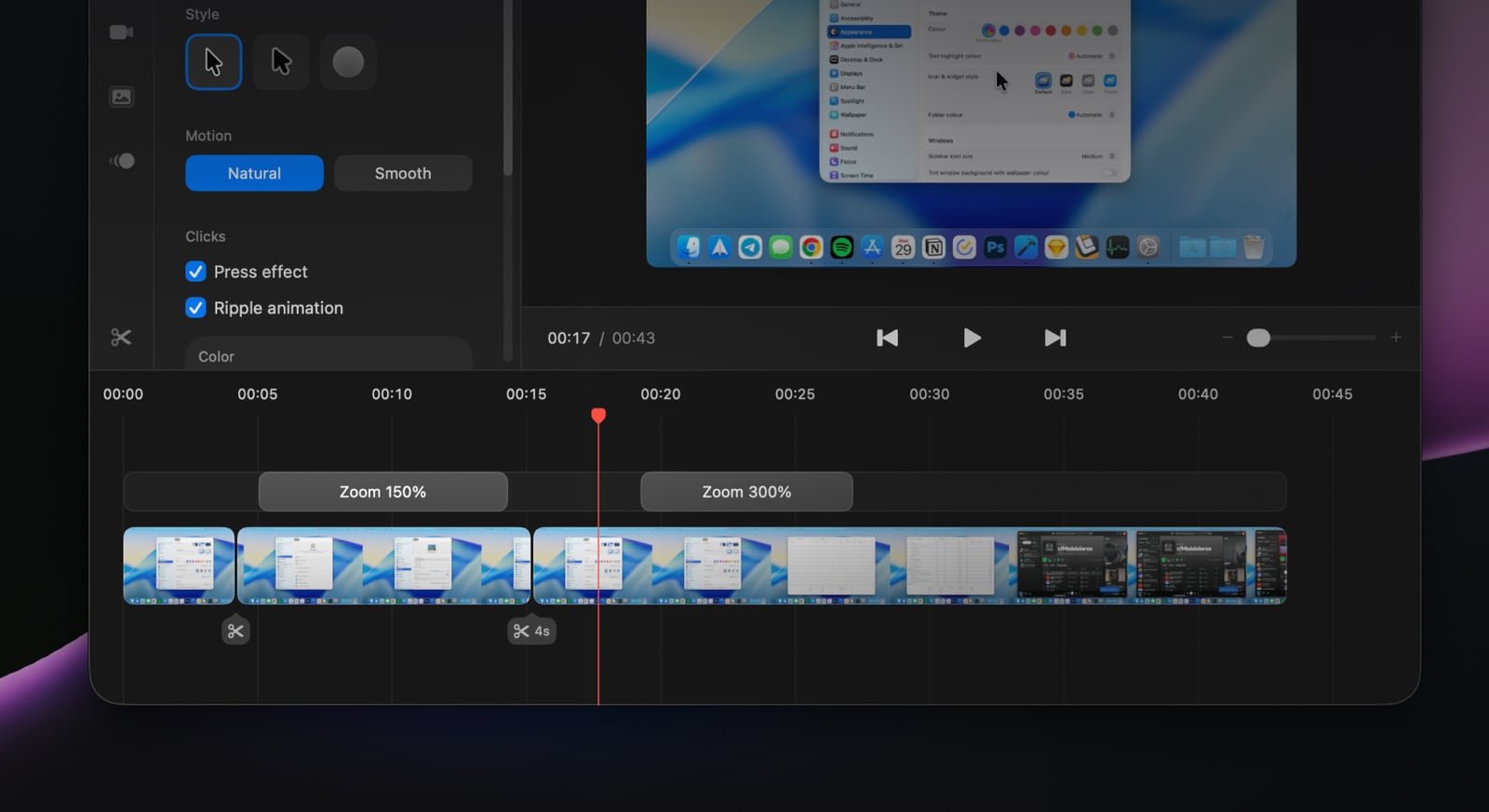 CleanShot X 5's Studio Mode editor, with Smart Zoom segments on the timeline. Image: CleanShot.
In practice, this moves CleanShot into territory that used to need a separate app such as Screen Studio. Studio Mode is part of the regular app: if your license is still inside its year of updates, or you use CleanShot through Setapp, 5.0 costs nothing extra.
Shotbase: a capture workspace
Shotbase's pitch is that capturing is the start, not the end. Screenshots, screen recordings, and webpage captures all land in one visual library, where optional on-device AI gives each capture a useful filename, tags, and a short summary. Since launch it has added share links that work before the upload finishes, a dedicated webpage-capture shortcut, use on up to three Macs per account, reusable and shareable editor presets, automatic PNG copies to a folder of your choice, mouse-click sounds in recordings, and faster 60 fps exports.
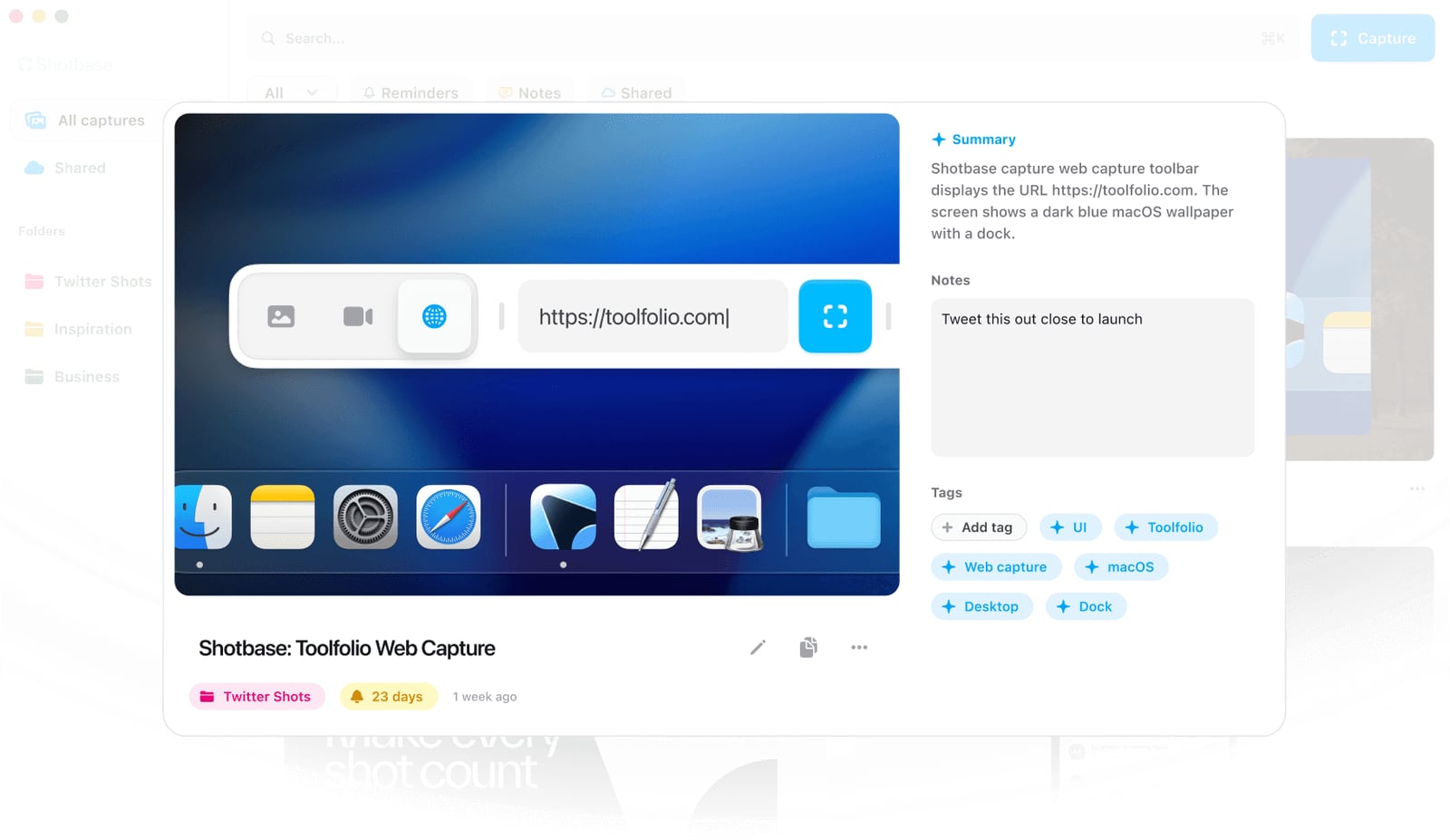 A Shotbase capture with its AI summary, notes, folder, reminder, and automatic tags. Image: Shotbase.
Feature Comparison
| Feature | CleanShot X | Shotbase |
|---|---|---|
| Latest version | 5.0.1 (September 18, 2026) | 1.6.0 (October 11, 2026) |
| Price | $35 one-time (1 year of updates, $19/year to renew); Pro $10/user/month billed annually | $13/month billed yearly ($156) or $25/month |
| Free trial | No; 30-day money-back guarantee (7-day trial through Setapp) | 7 days, no card required |
| Also on Setapp | Yes | No |
| macOS requirement | macOS 13 Ventura or later | macOS 14 Sonoma or later |
| Intel Macs | Yes | Yes, but local AI needs Apple silicon |
| Area, window, fullscreen screenshots | Yes, plus self-timer | Yes |
| Scrolling capture | Yes, in any app | Yes |
| Webpage capture | No dedicated mode | Yes: full page or viewport, mobile, tablet, desktop, or custom breakpoints, light or dark mode |
| Annotation | Arrows, shapes, text, blur and pixelate, spotlight, counter steps, highlight text, crop and resize | Arrows, text, highlights, shapes, callouts |
| Backgrounds and styling | 20 backgrounds plus custom presets, padding, shadows | Backgrounds, frames, shadows, borders, watermarks, reusable presets, social presets |
| Animated screenshots | No | Yes |
| Text recognition (OCR) | Yes, on-device, plus QR codes | Text extraction |
| Pin a capture on screen | Yes | Not listed |
| Screen recording | Yes, MP4 or GIF | Yes, including GIF export |
| Camera overlay | Yes, camera bubble | Yes, with automatic camera follow |
| Microphone and system audio | Yes | Yes |
| Click and keystroke display | Click highlights and keystrokes | Mouse-click sounds; keystroke display not listed |
| Automatic zooms | Yes (Smart Zooms, new in 5.0) | Yes |
| Cursor smoothing | Yes (new in 5.0) | Not listed |
| 3D perspective effects | No | Yes |
| Motion blur | Yes (new in 5.0) | Not listed |
| Vertical and square exports | Yes (new in 5.0) | Social presets |
| Organization | Capture history to find and restore past captures | One library with folders, notes, reminders, and search |
| AI organization | No | On-device AI names, tags, and summaries (Apple silicon) |
| Share links | Yes, with 1 GB of cloud on Basic, unlimited on Pro | Yes, viewable in any browser |
| Viewer feedback | Comments on screenshots and recordings | Reactions and feedback alongside shared work |
| Recording transcripts | Yes, automatic in Cloud | Not listed |
| Team features | Custom domain and branding, SSO, SCIM, admin controls (Pro) | Not listed |
| After the trial or subscription ends | The app keeps working forever | You can still capture, view, edit, and organize, but exporting and share links need Pro |
CleanShot X
CleanShot X is the app many Mac users replace the built-in screenshot tool with, and it has earned that place by being fast, native, and thorough. It captures an area, window, or the full screen, with a self-timer and scrolling capture that works in any app: long chats, documents, code, or webpages.
The annotation editor is the strongest part of the screenshot side. You get arrows, shapes, and text, plus the tools that matter in real work: blur and pixelate for redaction, a spotlight that dims everything except one area, numbered counter steps for instructions, text highlighting, and crop and resize. The background tool adds padding, shadows, and one of 20 included backgrounds, or your own presets.
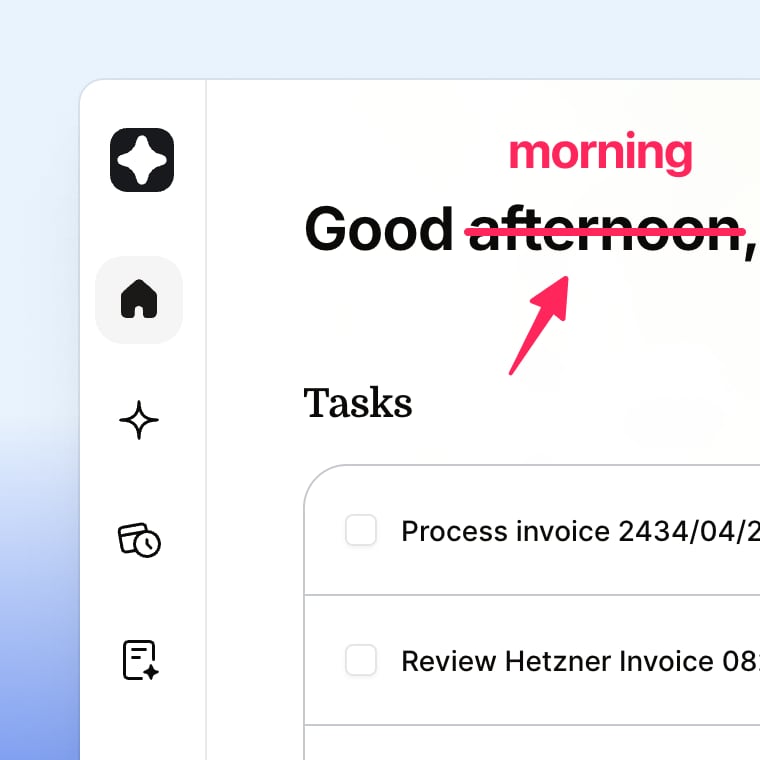 Quick markup in CleanShot X's annotation editor. Image: CleanShot.
The everyday extras are what keep people on CleanShot: on-device text recognition that also reads QR codes, pinning a screenshot so it floats above other windows, drag and drop straight from the capture overlay into any app, and a capture history to find and restore something you closed by mistake.
Recording was already solid before 5.0: camera bubble, click highlights, keystroke display, and microphone and system audio, exported as MP4 or GIF. Studio Mode now adds the editing layer described above. If you make the occasional product demo, onboarding clip, or bug report video, you may no longer need a second recording app.
CleanShot Cloud is the other half. A capture becomes a link in one click, and viewers can leave comments on screenshots and recordings, with automatic transcripts for recordings. Pro adds unlimited storage, a custom domain and branding, and team management with SSO and SCIM, and CleanShot says its cloud is ISO 27001 certified.
Pricing: CleanShot Basic is $35 once, with a year of updates and 1 GB of cloud storage; renewing updates is optional at $19 per year, and the app keeps working if you don't. CleanShot Pro is $10 per user per month billed annually (monthly billing is also available) with the app always up to date and unlimited cloud. There's no free trial, but there is a 30-day money-back guarantee, and CleanShot is included in Setapp, which has a 7-day trial. It requires macOS 13 or newer.
Limitations: captures live in your folders and history rather than an organized library, there's no webpage capture at set breakpoints, and the editor has no 3D effects. Studio Mode is new, so expect some refinement over the next few releases. For more detail, see our CleanShot X review.
Shotbase
Shotbase covers the same core captures (area, window, full screen, and scrolling screenshots, plus screen recordings) and adds a mode CleanShot doesn't have: webpage capture. Enter a URL and capture the full page or just the viewport at mobile, tablet, desktop, or any custom breakpoint, in light or dark mode. For designers, front-end developers, and anyone who documents websites, that alone can replace a browser extension or a pile of manual resizing.
The editor handles still images and video in one place. On the static side you get backgrounds, frames, shadows, borders, and watermarks, plus arrows, text, highlights, shapes, and callouts, and you can turn screenshots into short animations. On the motion side, recordings get automatic zooms, automatic camera follow, text effects, and 3D transforms that tilt a flat recording into perspective, a look CleanShot's Studio Mode doesn't offer. Editor looks can be saved as presets and shared or imported, and social presets help size exports for different platforms.
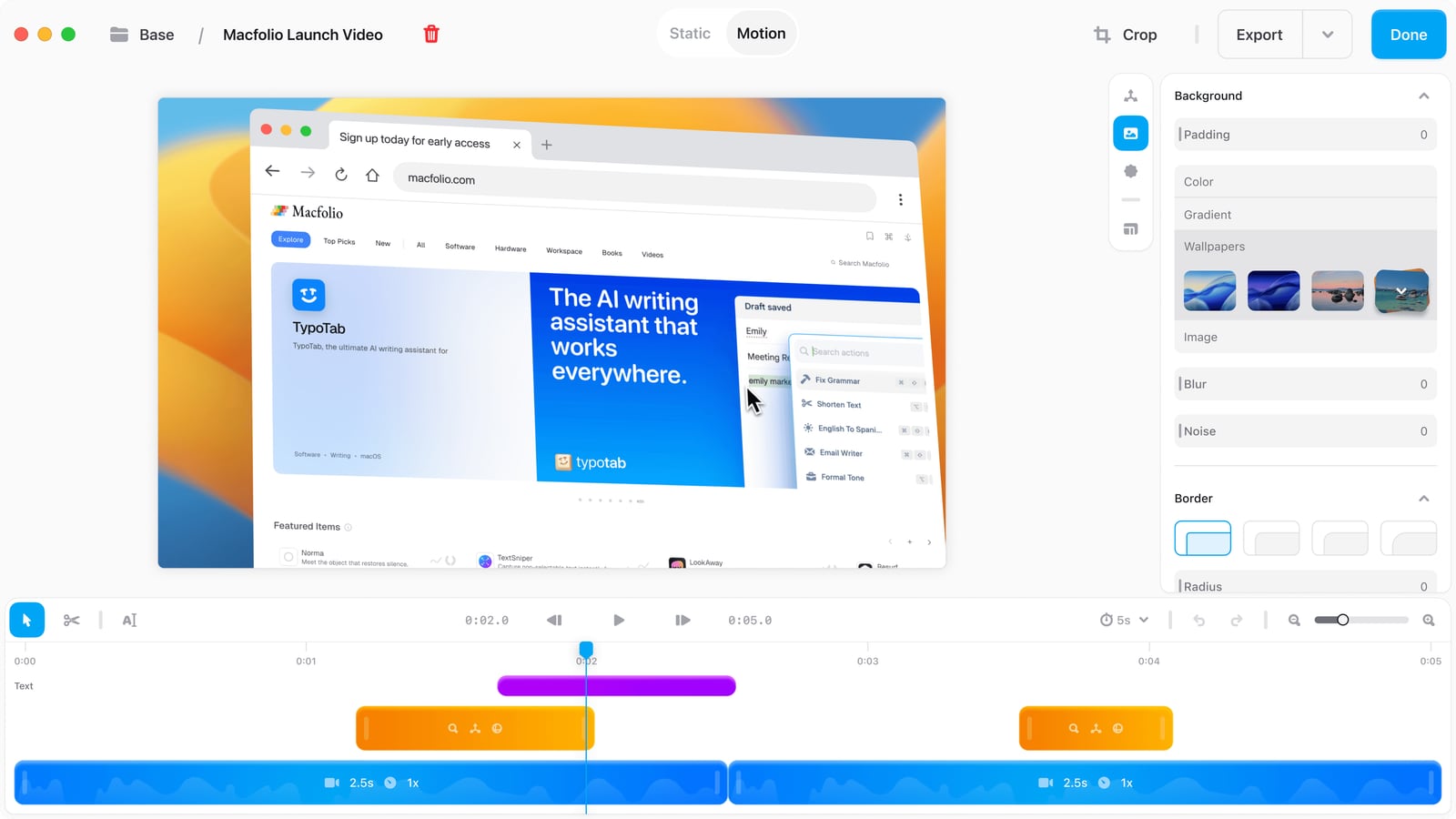 Shotbase's motion editor, with a 3D-tilted recording and zoom segments on the timeline. Image: Shotbase.
Organization is where Shotbase is genuinely different. Everything goes into one visual library with folders, notes, and reminders, and the optional local AI gives every capture a readable name, tags, and a summary, so you can search for "pricing page dark mode" instead of scrolling through Screenshot 2026-10-14 at 11.42.07. Shotbase says your image content isn't sent to a remote model for this. The AI needs an Apple silicon Mac; on Intel, everything else works with default filenames.
Captures stay on your Mac until you choose to share. Share links open in any browser, can be copied before the upload finishes, and show viewers' reactions and feedback next to the work.
Pricing: Shotbase is subscription-only: $13 per month billed yearly ($156) or $25 month to month, with a 7-day free trial that doesn't need a card. One Shotbase account works on up to three Macs. If you don't subscribe after the trial, you can keep capturing, viewing, editing, and organizing, but exporting new or edited work, creating share links, and keeping existing links active all require Pro. It requires macOS 14 Sonoma or later.
Limitations: cost is the big one: over three years Shotbase costs about $468 on the yearly plan, against $35 to $73 for CleanShot Basic depending on whether you renew updates. It's also a very young app. Releases are frequent and substantial, which is good, but it doesn't yet list things CleanShot users lean on, such as pinned screenshots, keystroke display, blur and pixelate redaction tools, or team management.
How They Compare in Practice
Daily screenshots and markup: CleanShot X. Its redaction, spotlight, and counter tools, pinning, and OCR make it faster for the dozens of small captures in a working day.
Polished product demos: close, and it depends on style. CleanShot's Studio Mode gives you Smart Zooms, cursor smoothing, motion blur, and vertical exports, plus click and keystroke display. Shotbase gives you automatic zooms, camera follow, and 3D perspective for a more stylized, marketing-video look.
Finding old captures: Shotbase, clearly. AI naming, tagging, summaries, notes, and reminders turn captures into a searchable archive. CleanShot's history is for restoring recent captures, not for managing hundreds of them.
Web design and documentation: Shotbase, thanks to breakpoint and light or dark webpage capture.
Teams and sharing: CleanShot X Pro, with custom domains, comments, transcripts, SSO, and SCIM. Shotbase's sharing is simpler and aimed at individuals.
Budget: CleanShot X. A $35 license, or Setapp if you already pay for it, costs far less than a Shotbase subscription.
Which Should You Choose?
Choose CleanShot X if…
- you want one dependable app for screenshots, annotations, and recordings, and prefer paying once
- you record demos or tutorials and want click highlights, keystrokes, and now Smart Zooms in the same tool
- you share captures with a team and need comments, branding, or SSO
- you already have Setapp, or you're on an Intel Mac or macOS 13
Choose Shotbase if…
- you take a lot of captures and want them named, tagged, and searchable without any manual filing
- you capture websites at different breakpoints or in dark and light mode
- you like stylized, 3D-perspective recordings for launches and social posts
- a subscription is fine and you're happy to grow with a young, fast-moving app
Both apps make it easy to test before committing: Shotbase has a 7-day trial with no card, and CleanShot offers a 30-day money-back guarantee (or a Setapp trial).
If you record tutorials in Shotbase, which doesn't list keystroke display, KeyScreen can show the keys you press on screen so viewers can follow along. It works with any recorder, though CleanShot X users already have keystroke display built in.
Final Verdict
CleanShot X is still the best all-round Mac capture app, and 5.0 makes the case stronger. Studio Mode closes most of the gap with dedicated demo recorders, and the $35 one-time price is hard to beat.
Shotbase is the most interesting new capture app in years. Its private AI library and webpage capture solve problems CleanShot doesn't address, and its motion editor is stylish. If organizing captures is your daily pain, start the free trial; if it isn't, CleanShot X gives you more for far less.
Catch these apps on sale: many paid Mac apps, including screenshot and screen recording apps, run discounts at least once a year, most often around Black Friday. Subscribe to the Apps.Deals newsletter to hear when the deals arrive.
Note: Features and prices are current as of October 2026. Both apps update often, so verify current details on each developer's official site before purchasing.
Disclosure: KeyScreen is made by Softal, the same company behind Apps.Deals. This post also contains affiliate links for CleanShot X, Shotbase, Screen Studio, and Setapp; if you buy through them, we may earn a commission at no extra cost to you.

Presentify: Draw, highlight, and zoom on your Mac screen.
Annotate your screen, highlight your cursor, spotlight key areas, and zoom in during presentations, demos, tutorials, and screen shares.