
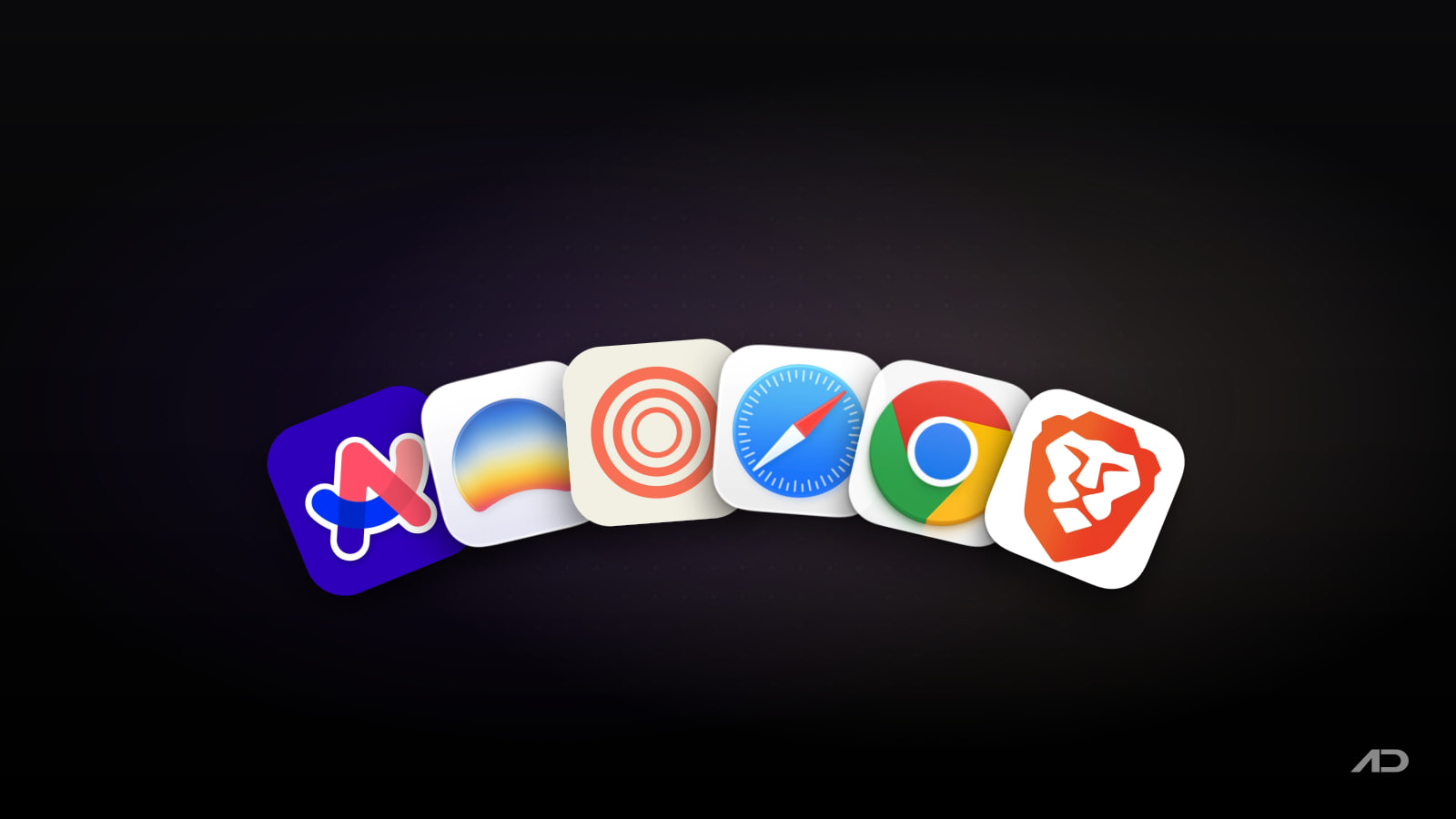
Arc Alternatives for Mac: Dia, Zen, Safari, Chrome, and Brave Compared
Arc earned its following by rethinking the browser around Spaces, vertical tabs, profiles, split view, themes, Boosts, pinned tabs, and a calmer way to live with too many web apps. For many Mac users, it made Chrome feel dated without giving up Chromium compatibility.
But Arc is no longer the obvious browser to start with in 2026. Arc's own download page now points users toward Dia as the next evolution and says Arc receives Chromium updates only. That does not make Arc unusable overnight, but it does change the buying decision for anyone choosing a daily browser today.
This guide compares Arc alternatives for Mac across tab organization, AI, extensions, privacy, platform support, Mac fit, and current pricing. The best replacement depends on what you liked about Arc: its workspace model, its design, its Chromium compatibility, or simply the feeling that a browser should help you think.
Quick Verdict
Choose Arc if you already depend on its sidebar, Spaces, pinned tabs, Split View, Boosts, and profiles, and you are comfortable staying on a browser that is maintained more conservatively than it used to be.
Choose Dia if you want the official successor from The Browser Company, especially if AI across tabs, documents, Slack, Notion, Gmail, Calendar, reports, profiles, splits, and organized tabs are more useful to you than preserving Arc exactly as it was.
Choose Zen Browser if you want the closest free, open-source Arc-like feeling: vertical browsing, Workspaces, Compact Mode, Glance, Split View, Firefox roots, and a design-led interface without committing to Chromium.
Choose Safari if you mainly use Apple devices and want the most efficient, private, integrated browser already on your Mac.
Choose Chrome if extension compatibility, Google services, profiles, developer testing, and cross-platform sync matter more than Arc-style interface ideas.
Choose Brave if you want a Chromium browser with stronger built-in privacy defaults, ad and tracker blocking, private search options, browser AI, and optional crypto features you can ignore.
Feature Comparison
| Feature | Arc | Dia | Zen Browser | Safari | Chrome | Brave |
|---|---|---|---|---|---|---|
| Best for | Existing Arc users who love Spaces and sidebar browsing | AI-assisted work across tabs, apps, and documents | Free open-source Arc-like productivity browsing | Apple ecosystem browsing with strong native integration | Maximum compatibility and extension reach | Chromium browsing with stronger privacy defaults |
| Browser engine | Chromium | Chromium | Firefox-based | WebKit | Chromium | Chromium |
| Arc-style organization | Excellent: Spaces, profiles, pinned tabs, Split View, themes, and Boosts | Good and evolving: profiles, splits, organized tabs, work context, and Arc DNA | Strong: Workspaces, Compact Mode, Glance, Split View, and mods | Good conventional organization with profiles and tab groups | Good conventional organization with profiles and tab groups | Good conventional organization with profiles, vertical tabs, and tab groups |
| Built-in AI | Arc Max features, but Arc is no longer the active future product | Core feature: asks across tabs, tools, docs, inbox, and connected work apps | Not the main point | Apple Intelligence and Safari features vary by device, language, and region | Google AI features vary by account, region, and subscription | Brave Leo and Ask Brave are built into Brave's privacy-oriented ecosystem |
| Extensions | Chrome extensions | Chromium extension base, with Dia's product direction layered on top | Firefox add-ons and Zen Mods | Safari extensions through the App Store | Chrome Web Store | Chrome Web Store |
| Privacy posture | Arc says it does not know what sites you visit or what you search for | Dia says data is not sold or used to build ad profiles, with end-to-end encrypted sync | Open-source, privacy-focused, donation-supported project | Strong Apple privacy features and system integration | More tied to Google services when signed in | Built-in ad, tracker, and fingerprinting protections |
| Platform support | Mac and Windows desktop downloads; mobile apps exist separately | Currently macOS 14+ on M1 or newer Macs | Mac, Windows, and Linux builds from the project | Apple platforms | Mac, Windows, Linux, ChromeOS, iPhone, iPad, and Android | Mac, Windows, Linux, iPhone, iPad, and Android |
| Current starting price | Free | Free tier; Dia Pro has been reported at $20/month for heavier AI use | Free and open source, with donations | Included with macOS | Free | Free, with optional paid Brave services |
Arc
Arc is still the browser many Mac users mean when they ask for something more thoughtful than Chrome. The sidebar made tabs feel more like a workspace than a pile. Spaces separated work, personal projects, study, clients, hobbies, and research without forcing multiple windows. Profiles helped keep logins and histories apart. Split View made side-by-side web work feel native. Boosts, themes, pinned tabs, and the Command Bar gave Arc a level of personality most browsers still do not attempt.
If your whole browsing muscle memory lives in Arc, staying put is reasonable. A browser is not only a feature list; it is also the app where your shortcuts, tab rituals, saved spaces, and daily context live. Switching too quickly can create more friction than it solves.
The problem is the future. Arc's current page says it receives Chromium updates only and recommends Dia for active security patches and enterprise-grade protection. That makes Arc harder to recommend to new users, teams, and security-sensitive workflows. It is no longer the experimental browser getting the center of The Browser Company's attention.
Arc is currently free. Choose it if you already love Arc and do not need the newest browser direction. If you are choosing from scratch, start with Dia, Zen, Safari, Chrome, or Brave instead.
Dia
Dia is the official successor to Arc from The Browser Company. It keeps some familiar ideas, such as profiles, splits, organized tabs, and a work-oriented browser model, but the center of gravity has moved from interface invention to AI-assisted work.
Dia's current product page focuses on Morning Brief, reports from scattered work context, answers across GSuite, Slack, tabs, and more, decks, Live Work, better meeting setup, profiles, splits, organized tabs, tracker blocking, ad blocking, memory controls, and end-to-end encrypted sync. It also says Dia is currently available on Apple silicon Macs running macOS 14 or later.
That makes Dia the most natural Arc alternative for people who trusted The Browser Company's taste and want to follow the product line forward. It is especially interesting if your browser is not just where you read websites, but where you coordinate work across email, docs, Slack, GitHub, calendars, notes, and research tabs.
The tradeoff is that Dia is not simply "Arc with a new name." If what you loved was Arc's sidebar-first browsing and tightly personal workspace model, Dia may feel more conventional and more AI-heavy. It also has narrower Mac hardware support than Safari, Chrome, Firefox-based browsers, and Brave because it requires an M-series Mac.
Dia currently has a free tier. Dia Pro has been reported at $20/month for heavier AI usage, but because pricing and AI limits can change quickly, check the in-app upgrade screen before relying on that number.
Choose Dia if you want the browser Arc's maker is actively building now.
Zen Browser
Zen Browser is the most interesting Arc alternative if your favorite Arc features were interface and organization rather than The Browser Company itself. Zen describes itself as a calmer, privacy-focused browser packed with productivity features, and it is free and open source.
Zen is not Chromium-based. It is built around the Firefox ecosystem, which makes it compelling for users who want to move away from Chromium while keeping a modern, vertical, workspace-oriented browser feel. Its official site highlights Workspaces, Compact Mode, Glance, Split View, Zen Mods, privacy focus, and active community development.
For Arc users, the appeal is obvious. Workspaces map cleanly to Arc's Spaces. Split View helps with research and comparison. Compact Mode gives back screen space. Zen Mods give the browser a customization culture without making you depend on Arc Boosts.
The tradeoff is maturity. Zen is still a younger project, and some users will run into rough edges, website compatibility issues, extension gaps, or workflow differences compared with Chromium browsers. If you need exact Chrome extension behavior or enterprise policies, Chrome, Brave, or Dia are safer. If you want a polished first-party Apple browser, Safari is calmer.
Zen Browser is currently free and open source, with donations available to support the project.
Choose Zen if you want the spirit of Arc's workspace browsing in a free, open-source, Firefox-based browser.
Safari
Safari is the Arc alternative for Mac users who want the fewest moving parts. It is already installed, tightly integrated with macOS, and strongest when your devices are Mac, iPhone, iPad, and Apple Watch.
Safari's advantage is not that it copies Arc. It does not. Its value is that it gets out of the way. iCloud sync, iCloud Keychain, passkeys, Apple Pay, Handoff, profiles, tab groups, pinned tabs, Reader, Live Text, translation, privacy protections, private browsing protections, and energy efficiency make Safari a practical default for many Mac users.
If you were using Arc because Chrome felt cluttered, Safari may solve the same problem from the opposite direction. It is less experimental, less social, and less customizable, but also less dependent on a startup's product direction. It is a good browser to return to when you want browsing to feel boring in a productive way.
The tradeoff is compatibility and workflow depth. Safari has a smaller extension ecosystem than Chrome-based browsers, and it does not offer Arc's Spaces, Boosts, command-first workflow, or Dia's AI context. Web developers and people who depend on niche Chrome extensions may still need Chrome or Brave nearby.
Safari is currently included with macOS.
Choose Safari if you want the best default Mac browser rather than the most Arc-like one.
Chrome
Google Chrome is the practical Arc alternative when compatibility matters more than taste. It is not as elegant as Arc, but it is the browser most web apps, extensions, IT teams, QA flows, and tutorials assume.
For Mac users leaving Arc, Chrome is the safest route back to the mainstream Chromium world. You get the Chrome Web Store, strong Google account sync, familiar profiles, tab groups, password and payment features, broad platform support, Google Workspace fit, developer tools, and fewer surprises with web apps that were tested primarily against Chrome.
Chrome is also more AI-connected than it used to be, with Google bringing Gemini and other AI features into browsing and search in supported regions and accounts. Still, Chrome's AI direction is not the same as Arc or Dia. It is more ecosystem-layered and Google-centered.
The tradeoff is that Chrome is exactly what many Arc users were trying to escape: busy, mainstream, Google-centric, and less opinionated about making the browser feel like a personal workspace. It is the right answer for compatibility, not necessarily for calm.
Chrome is currently free.
Choose Chrome if leaving Arc should reduce risk, not create a new browser experiment.
Brave
Brave is the Arc alternative for people who want Chromium compatibility but dislike Chrome's default relationship with advertising and tracking. It supports Chrome extensions while adding built-in Shields for ads, trackers, fingerprinting protections, and privacy-oriented defaults.
Brave is especially useful if your Arc setup depended on Chromium extensions but your next priority is privacy. It includes Brave Search, Brave Leo, Ask Brave, private browsing options, sync, vertical tabs, tab groups, and optional premium services such as VPN. You can use the browser without caring about Brave's crypto features, rewards, or wallet.
Compared with Arc, Brave feels more like a privacy-focused Chrome replacement than a workspace browser. It does not reproduce Arc's full Spaces model, Boosts, or playful interface. But it is stable, cross-platform, extension-friendly, and much easier to recommend to users who want a mainstream browser with better privacy defaults.
Brave is currently free, with optional paid services.
Choose Brave if you want Chrome compatibility with stronger privacy defaults and less interest in Arc-style interface experiments.
Which Arc Alternative Should You Use?
Use Dia if you want to follow The Browser Company's active product direction and AI across your tabs and work apps sounds useful.
Use Zen Browser if you want the closest free and open-source alternative to Arc's workspace feel, especially if you like vertical browsing but want to move away from Chromium.
Use Safari if you want the most Mac-native default and do not need Arc's custom workflow.
Use Chrome if you need maximum extension support, Google sync, and web-app compatibility.
Use Brave if you want Chromium compatibility with built-in ad blocking, tracker blocking, and privacy features.
Stick with Arc if it still works perfectly for you and you understand that it is no longer the future-facing product from its maker.
Final Verdict
Dia is the most direct Arc successor. It is the browser to try first if you trusted The Browser Company's taste and want the product that is actively moving forward.
Zen Browser is the most Arc-like independent alternative. It is the best choice for users who want workspaces, split browsing, customization, privacy focus, and open-source development.
Safari is the best boring answer for Apple-only users. It will not recreate Arc, but it is fast, efficient, private, and already part of the Mac.
Chrome is the compatibility fallback. It is the browser to choose when extensions, testing, Google services, and cross-platform reliability matter more than interface novelty.
Brave is the privacy-oriented Chromium choice. It is less Arc-like than Zen, but stronger if you want Chrome extension compatibility without using Chrome itself.
My practical recommendation: try Dia if AI work context is the reason you are switching, try Zen Browser if Arc's workspace interface is what you miss, use Safari as the default baseline on Apple devices, keep Chrome for unavoidable compatibility, and choose Brave when privacy plus Chromium matters most.
Note: Features, platform support, and prices are current as of July 2026. Browsers change quickly, especially AI features, extension support, privacy settings, enterprise security claims, hardware requirements, and subscription tiers. Verify current details on each developer's official website before switching your daily browser.

Presentify: Draw, highlight, and zoom on your Mac screen.
Annotate your screen, highlight your cursor, spotlight key areas, and zoom in during presentations, demos, tutorials, and screen shares.